
Sid Meier's Civilization Beyond Earth HotKeys List


 3 min. read
  Updated on
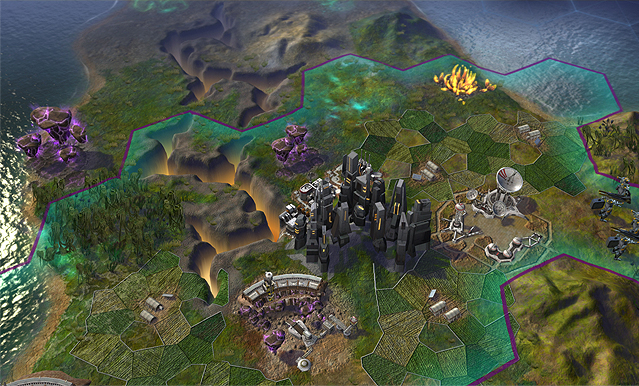
Sid Meier’s Civilization: Beyond Earth is a popular turn-based strategy game where players build and manage their own spacefaring civilization. One key aspect of playing Civilization: Beyond Earth efficiently is to utilize keyboard shortcuts or hotkeys to save time and navigate the game quickly. Your gaming experience can significantly change if you know which hotkeys to use.
Below is a list of the HotKeys in Sid Meier’s Civilization Beyond Earth game. You can use them to play the game more efficiently.
Sid Meier’s Civilization Beyond Earth HotKeys:
➡️ General HotKeys
- Civilopedia – F1
- Economic Info – F2
- Military Info – F3
- Diplomacy Info – F4
- Virtues Screen – F5
- Tech Web – F6
- Covert Ops Overview – Ctrl-E
- Notification Log – F7
- Victory Progress – F8
- Quest Log – F9
- Trade Route Overview – F10
- Quick Save – F11
- Quick Load – Ctrl-F11
- Hex Grid – Shift-G
- Menu – Esc
- End Turn – Enter
- Next Unit – Period
- Previous Unit – Comma
- Zoom Out – –
- Zoom In – +
- City Manager View – Insert
- Zoom In – Page Up
- Zoom Out – Page Down
- Show Resource Icons – Shift-R
- Show Yield Icons – Shift-Y
- Orbital Layer – Shift-O
- Save – Ctrl-S
- Load – Ctrl-L
- Next City – ]
- Previous City – [
➡️ Unit HotKeys
- Move Mode – M
- Explore (Automated) – E
- Sleep – F
- Alert – A
- Do Nothing – Spacebar
- Delete the Unit – Delete
- Attack – Ctrl-A
- Ranged Attack – B
- Set up Artillery – S
- Fortify until Healed – H
- Fortify – F
- Rebase Mode – Alt-R
- Air Strike Mode – S
- Air Sweep – Alt-S
- Intercept – I
- Found City – B
- Build Improvements (Automated) – A
- Repair an Improvement – P
- Construct a Road – R
- Construct a Magrail – E
- Route to Mode – Shift-Ctrl-R
- Remove Road – Alt-R
- Clear a Marsh – Alt-I
- Clear Miasma – S
- Add Miasma – S
- Construct a Farm – L
- Construct a Generator – G
- Construct a Paddock – I
- Construct a Mine – I
- Construct a Plantation – I
- Construct a Quarry – I
- Construct a Work Barge – I
- Construct a Terrascape – T
- Construct a Node – O
- Construct an Array – D
- Construct a Dome – U
- Construct a Biowell – Y
- Construct a Manufactory – W
- Construct an Academy – Q
- Construct a Geothermal Well – I
- Construct a Petroleum Well – I
- Remove Forest – Alt-I
- Cancel Last Mission – Backspace
- Construct an Expedition – I
- Construct a Xenomass Well – I
- Construct a Float Stone Quarry – I
- Construct a Firaxite Mine – I
In Sid Meier’s Civilization: Beyond Earth, players can simplify their gameplay experience by using hotkeys. These shortcuts offer rapid access to crucial game features and can help players save time so they can concentrate more on the strategic elements of the game. You may play more effectively and improve your chances of winning in Beyond Earth by introducing hotkeys into your gameplay.



Improve this guide

User forum
0 messages