
How to Fix the Latest PS4 Firmware 9.50 Errors and Issues
Get past PS4 firmware update errors using our effective methods here 🎯


 3 min. read
  Updated on

The latest PS4 Firmware 9.50 is available worldwide. The update brings several new social features and Remote Play support for PC and Mac.
This new update is supposed to improve the user experience. However, Firmware 9.50 comes with some issues and bugs that annoy a lot of gamers.
According to the official Playstation website, there are the main features of the version 9.50 update:
Update Version 10.0:
- While using the Internet Browser, you can now select between two types of zoom functions
- The maximum zoom/magnification rate is currently 500%
- You can use the keyboard on your PC or Mac when using PS Remote Play
- The text entry box it’s removed and you can use the keyboard to type directly onto your PS4 console
- It’s possible to utilize the keyboard to play games that supports the function.
If you have updated your PlayStation 4 to the firmware version 9.50, you could have run into some errors or bugs that are causing trouble with your console.
Problems with game downloads, network connectivity, and even PS4 launch have been observed by certain users.
In this article, we’ll talk about some of the most typical errors and issues with the most recent PS4 firmware upgrade and give you some fixes.
How do I fix the PS4 firmware errors?
🎮 Error Code SU-42481-9
Error code SU-42481-9 usually means that there is a problem with the update file that was downloaded or that it is corrupt. Here are some possible fixes:
1. Remove the update file on the PS4
In order to solve this error on the console, you may simply remove the latest update and reinstall it. You can perform this as follows:
2. Check your Internet connection
Another useful method to diagnose and fix such error codes is by testing your Internet connection. You can simply perform it like this:
⭐ Go to the Settings menu > Click on Network >Select Test network connection.
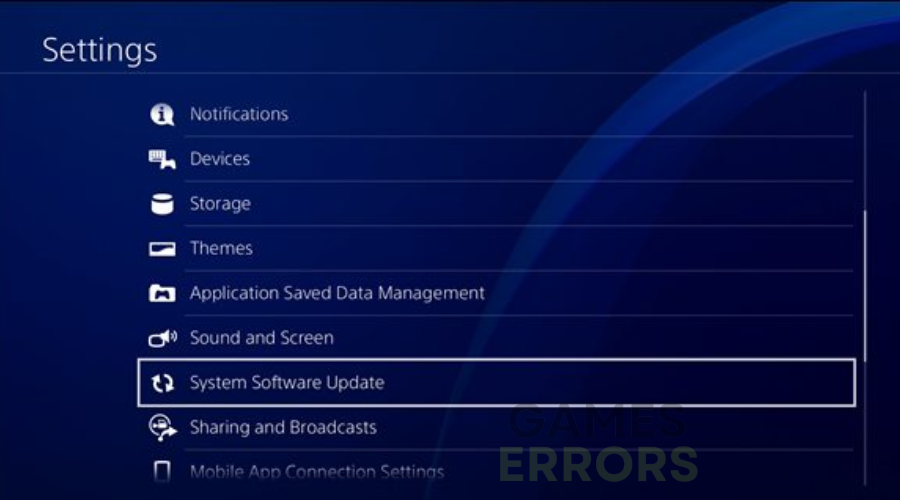
3. Use Safe Mode to update your PS4
- Turn off the console by pressing the Power button (hold for at least 3 seconds).
- Afterward, press and hold the Power button and release it after the second beep sound
- Now press the PS button on your controller.
- On the Settings menu, select System software update.

📶 PS4 Network issues
After updating to firmware version 9.50, some users have experienced network connectivity issues with their PlayStation 4. So, you might be unable to download files, or access Internet functions.
Follow these methods to fix this issue:
- Try connecting to the Internet once more after restarting your modem or router.
- Change the DNS address using Google’s public DNS and modify your DNS settings (8.8.8.8 and 8.8.4.4).
- Set the default network settings on your PS4.
We hope that our guide helped you fix your PS4 Firmware 9.50 errors and bugs, thus now your console is working fine.
In addition, you might get into other specific PS4 issues and require additional help to bypass them successfully.
To give you more support, we also covered an error has occurred PS4 Sign-in problem with useful fixes. On the same note, you can dive into the PlayStation 5 CE-112840-6 error and find the solutions.
If you have any other issues or concerns regarding the PS4 firmware problems, please comment below and we will help you fix them.



Improve this guide

User forum
17 messages