
How to Play Zelda Tears of the Kingdom on PC: 2 Easy Ways
Use a trusted and stable emulator to play The Legend of Zelda: Tears of the Kingdom on your PC ✅


 4 min. read
  Updated on

Emulating a game on an unofficial platform may be illegal. So, you should only do it if you have bought the official Zelda TOTK and want to play on a PC for your convenience.
If you want to play Zelda Tears of the Kingdom on your PC, this article is for you. Here, you will get the relevant instructions along with some vital information.
The Legend of Zelda is one of the most enchanting game series out there. Especially many Nintendo Switch users are using this mini-console just because of this title. However, if you want to play this game, particularly the new Tears of the Kingdom, on your PC, you won’t have to buy the Switch if you follow our instructions.
Can you play Tears of the Kingdom on PC?
Yes. Like many other Zelda games, you can easily emulate Tears of the Kingdom on your PC.
Third-party developers are not taking a rest after getting the news of its release. There are several emulators available to play this item on your Windows 11 or 10 computers. The best thing is you can get 60 FPS using some specific emulators.
Even though it sounds very simple, you may face some technical difficulties if you don’t follow the specific steps. In the next part of this article, you will get the proper instructions on this.
How to play Tears of the Kingdom on PC?
We suggest you do these required things before getting started:
- Install the Visual C++ Redistributables on your PC.
- Restart Windows.
Now, follow these methods to run Tears of the Kingdom using a perfect emulator on your computer:
1. Play using Ryujinx
Time needed: 3 minutes
To play The Legend of Zelda Tears of the Kingdom PC, you can use the Ryujinx emulator, as it is the most effective and performance-optimized solution.
- Visit Ryujinx’s site and download the emulator.

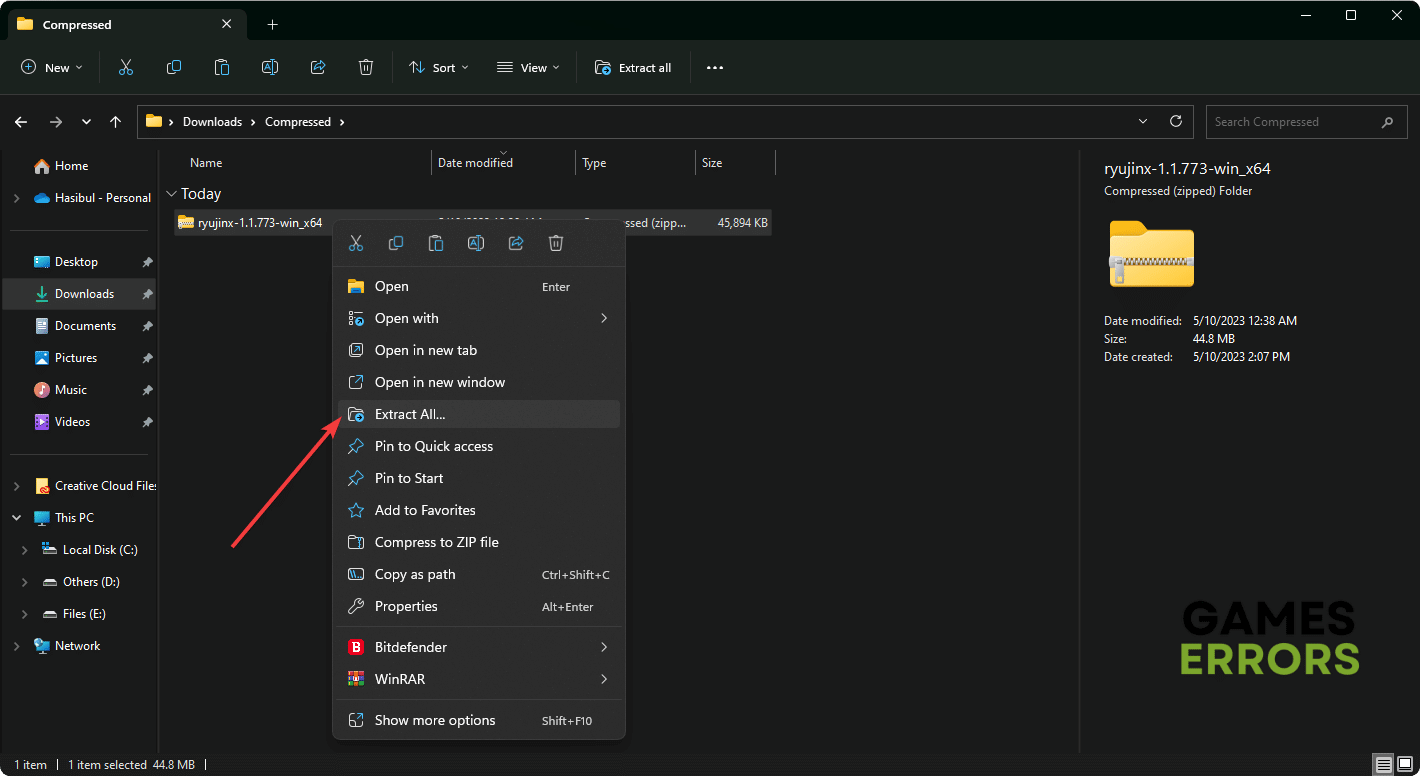
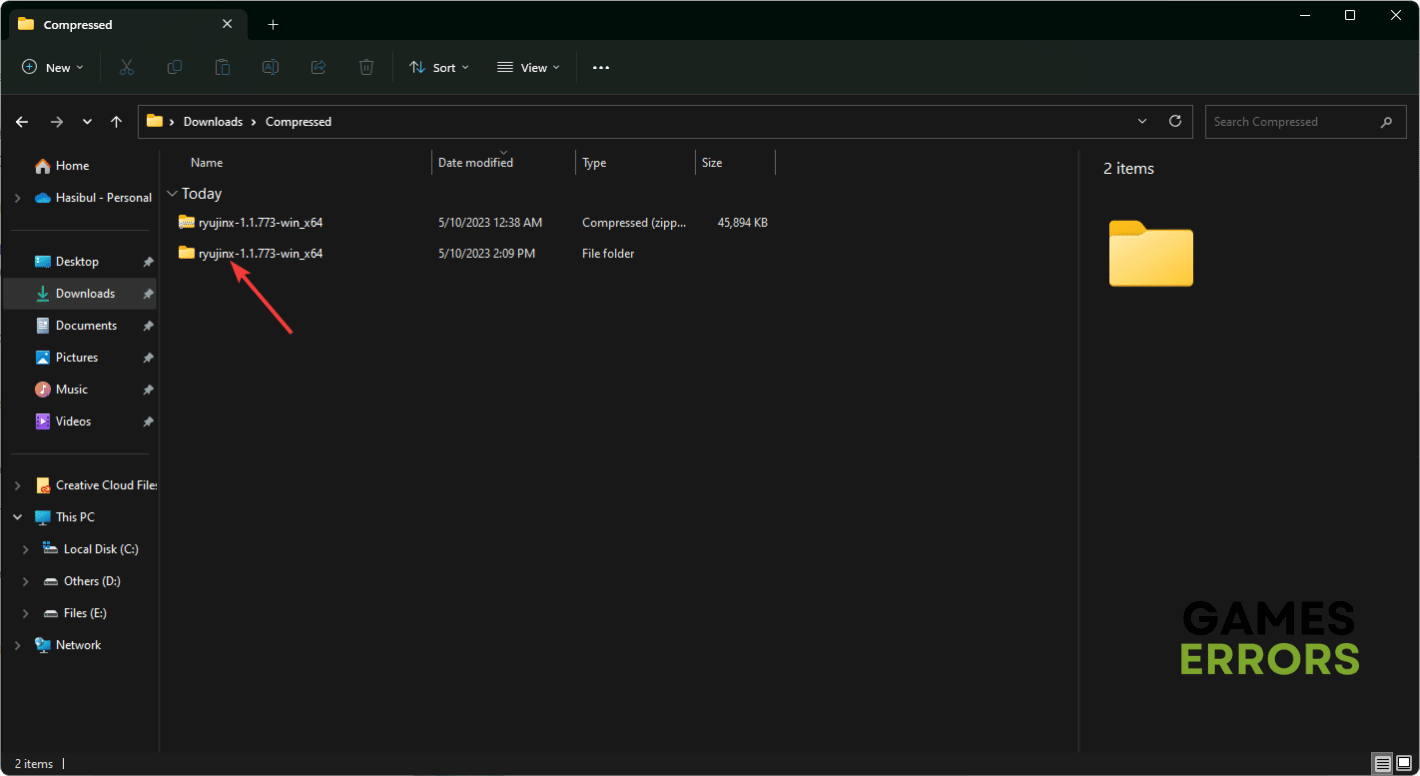
- Extract the downloaded zip file.

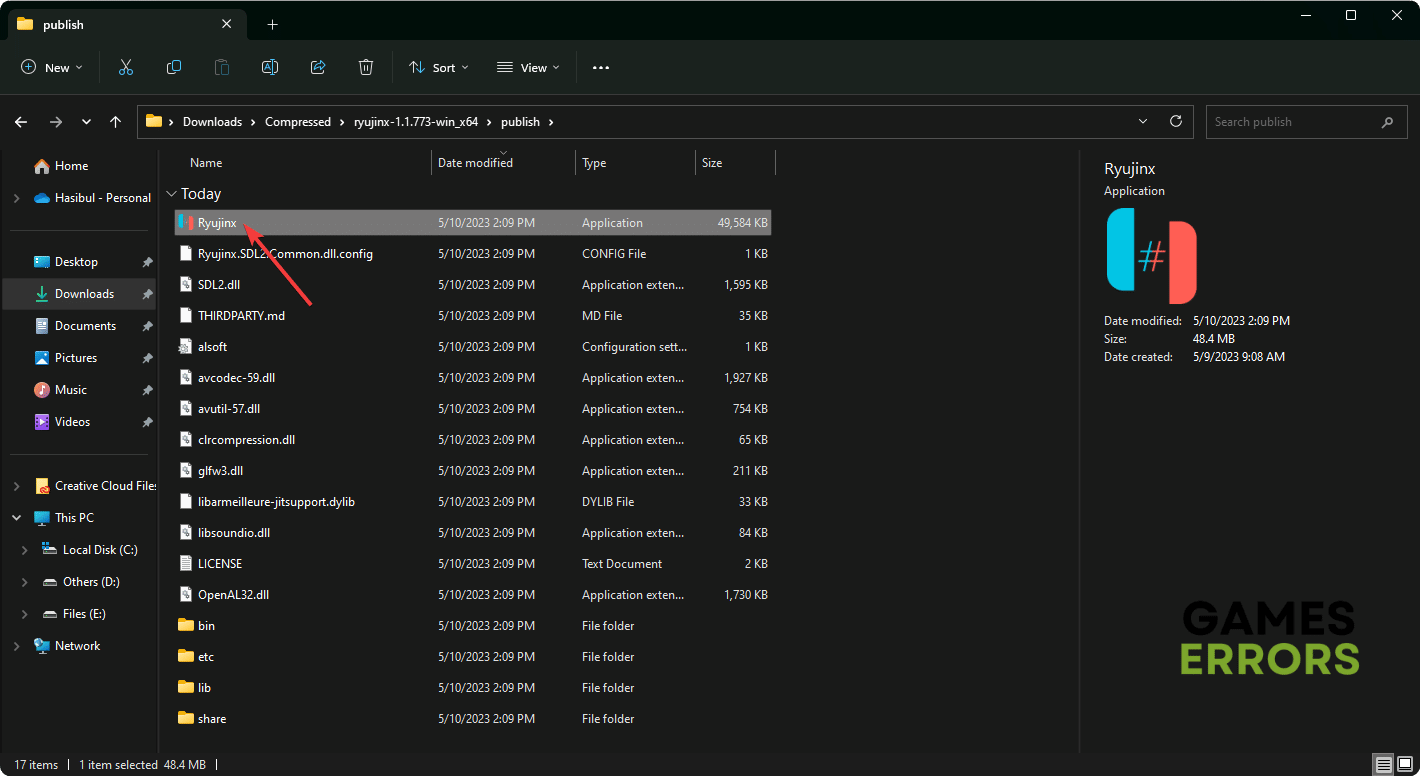
- Now, go to the extracted folder and then go to publish directory.
- Open the Ryujinx.exe file.
- Download The Legend of Zelda: Tears of the Kingdom’s NSP or XCI ROM from a trusted source.
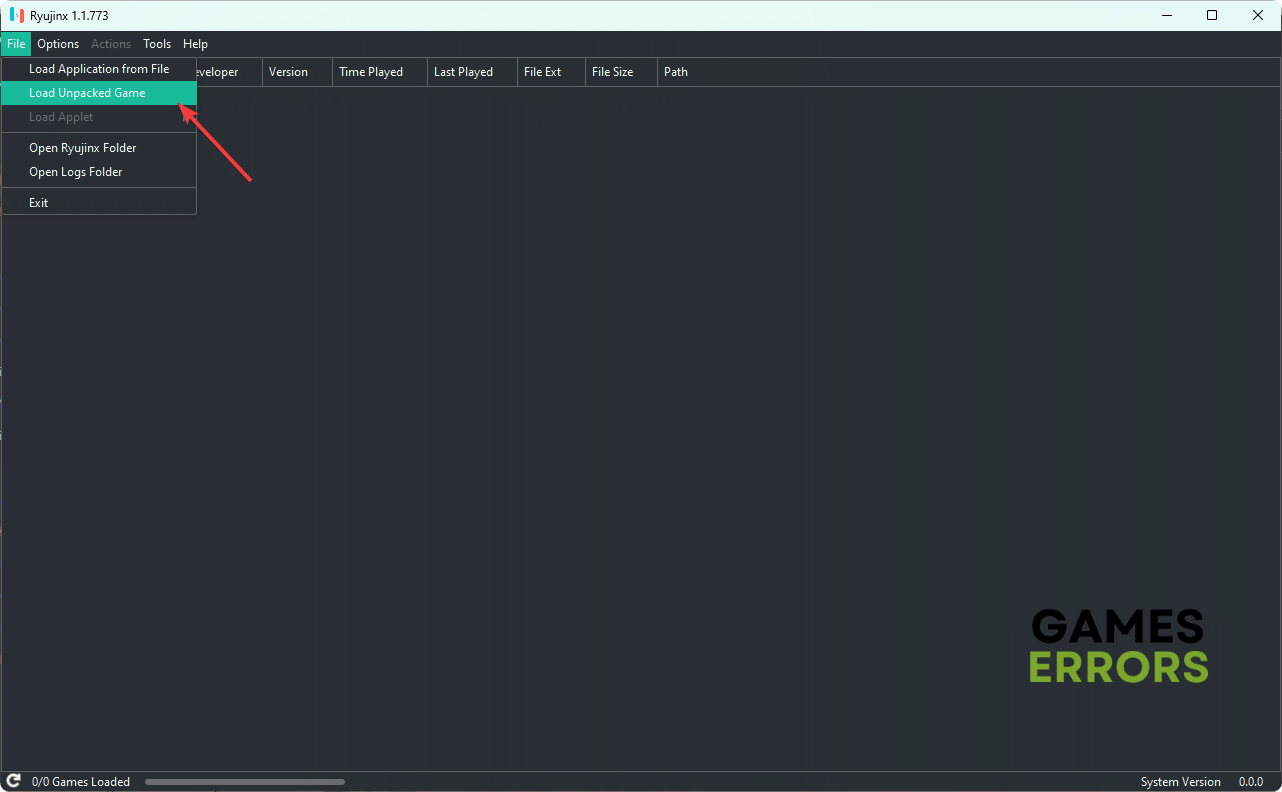
- In the Ryujinx, click on File and then click on Load unpacked game or Load application from a file, depending on the downloaded game file.

- Now, Ryujinx will load the file, and you can start enjoying this new Zelda game on your PC.

Please keep in mind that you must tweak the input settings if you are unable to use your keyboard or game controller expectedly. This option can be found in Ryujinx’s settings. Also, you can tweak GPU preference to get maximum FPS.
According to various sources, you can get around stable 60 FPS performance from Zelda: Tears of the Kingdom using the Ryujinx app on a Windows 11 or 10 device. In case you want to use XCI ROM, you may need to install additional firmware from Tools in this application.
2. Use Yuzu to play Tears of the Kingdom on PC
The Yuzu emulator is another excellent solution for playing Zelda games on a Windows-based computer. Here are the instructions to follow:
- Download and install Yuzu on your computer.

- Open it.
- Load the game file.
- Start playing.
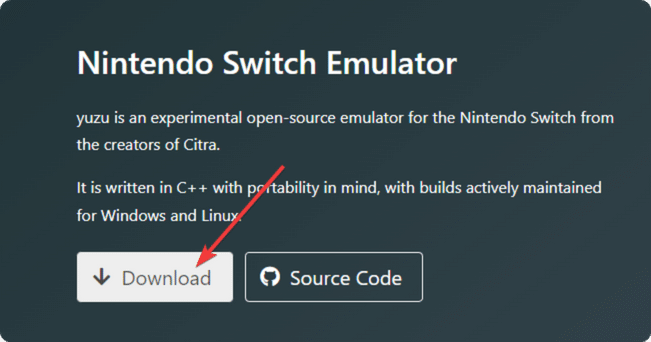
The instructions for this emulator are similar to the Ryujinx’s ones. However, what will be your gaming experience on this item will depend on various things.
Like many other companies, Nintendo locks some specific games on its platform. But, it cannot stop you from playing their exclusive games on your computer, thanks to third-party developers.
Will Zelda Tears of the Kingdom be on PC?
For the moment, this is uncertain even for us. But be sure we’ll post as soon as we get the information. We recommend staying updated with official news sources, game developers’ announcements, and social media channels for any updates on the game’s platform availability.
This article has explained how you can play Zelda: Tears of the Kingdom on your PC. Let us know in the comment box if you have any better suggestions or questions.



Improve this guide

User forum
3 messages