
Fallout 4 Far Harbor Crash: How to Fix It Quickly
Many gamers reported that Fallout 4 Far Harbor keeps crashing. Our fixes will help you handle it


 4 min. read
  Updated on
Fallout 4 Far Harbor is available on Steam and apparently, because of this new DLC a lot of players are encountering issues with Fallout 4 Far Harbor crashing.
The most common bugs in this game are crashes such as Fallout 4 Far Harbor crash on PC, PS4, or the game keeps crashing on Xbox One.
💥 Why does Fallout 4 keep crashing?
You may experience game crashes on this Fallout 4 edition due to multiple reasons, such as incompatible or outdated driver files.
At the same time, make sure that you meet the system requirements below and after that, go ahead and check our solutions to fix your issue and play the game freely.
MINIMUM:
-
- OS: Windows 7/8/10 (64-bit OS required)
- Processor: Intel Core i5-2300 2.8 GHz/AMD Phenom II X4 945 3.0 GHz or equivalent
- Memory: 8 GB RAM
- Graphics: NVIDIA GTX 550 Ti 2GB/AMD Radeon HD 7870 2GB or equivalent
- Storage: 30 GB available space
RECOMMENDED:
-
- OS: Windows 7/8/10 (64-bit OS required)
- Processor: Windows 7/8/10 (64-bit OS required)
- Memory: 8 GB RAM
- Graphics: NVIDIA GTX 780 3GB/AMD Radeon R9 290X 4GB or equivalent
- Storage: 30 GB available space
How do I get Fallout 4 to stop crashing?
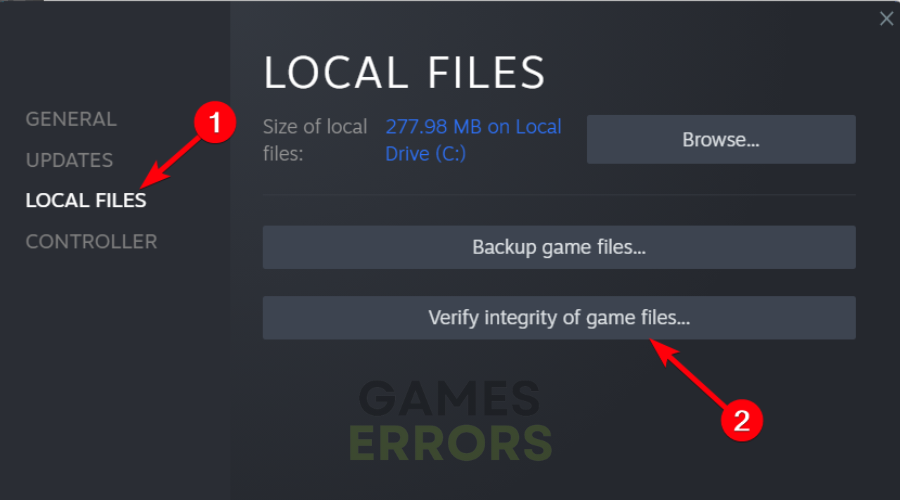
1. Check the corrupted game files
A reliable way to determine the cause of the issue would be to validate the game files and make sure it’s not corrupted.
2. Update the GPU drivers
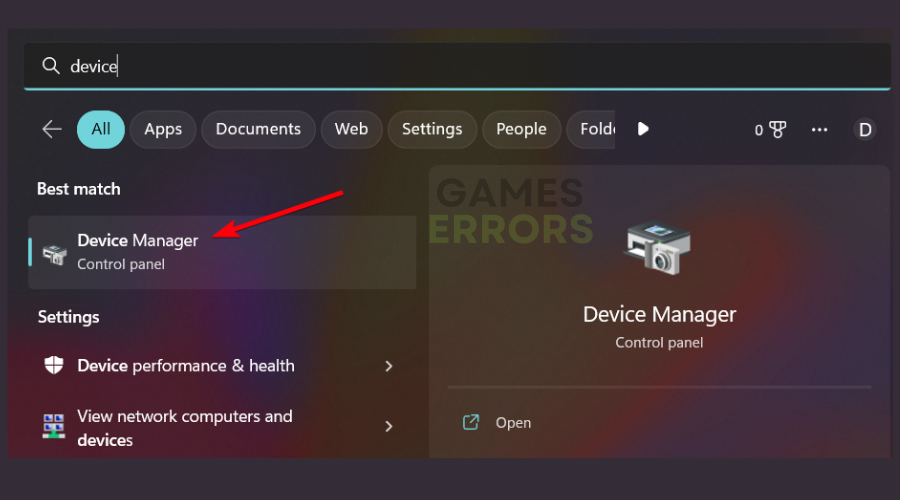
- In the Windows search box, enter Device Manager.
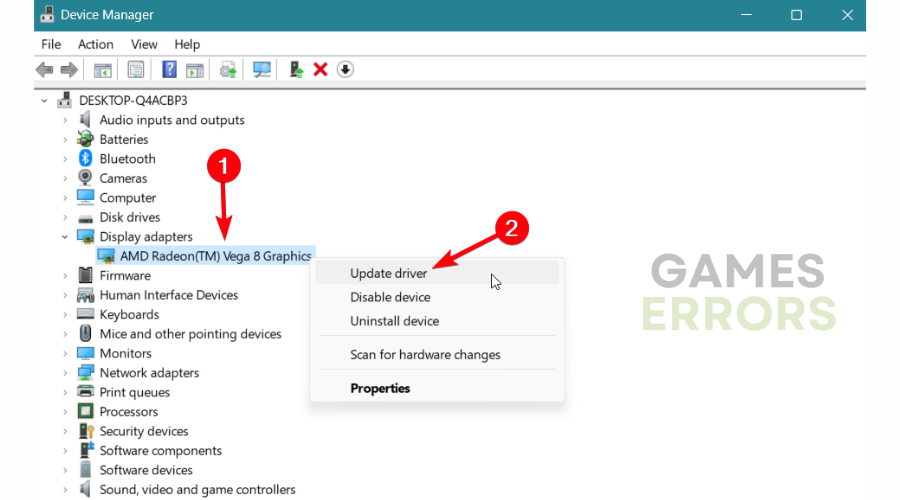
- Right-click on the display driver and click on Update driver.
- Choose Search automatically for the driver.
- Restart your PC.
- Download and install PC HelpSoft.
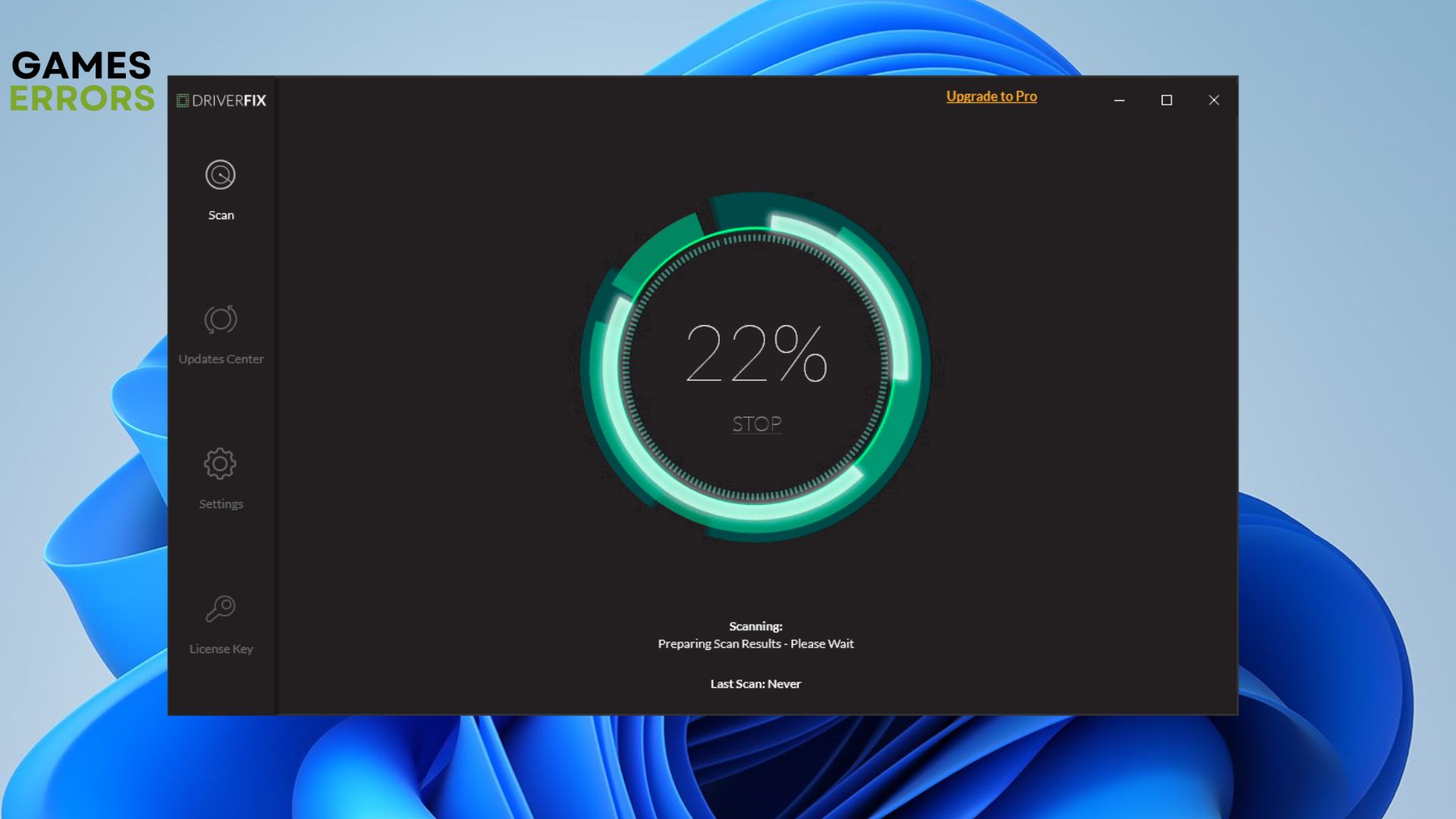
- Launch the software to start scanning automatically.
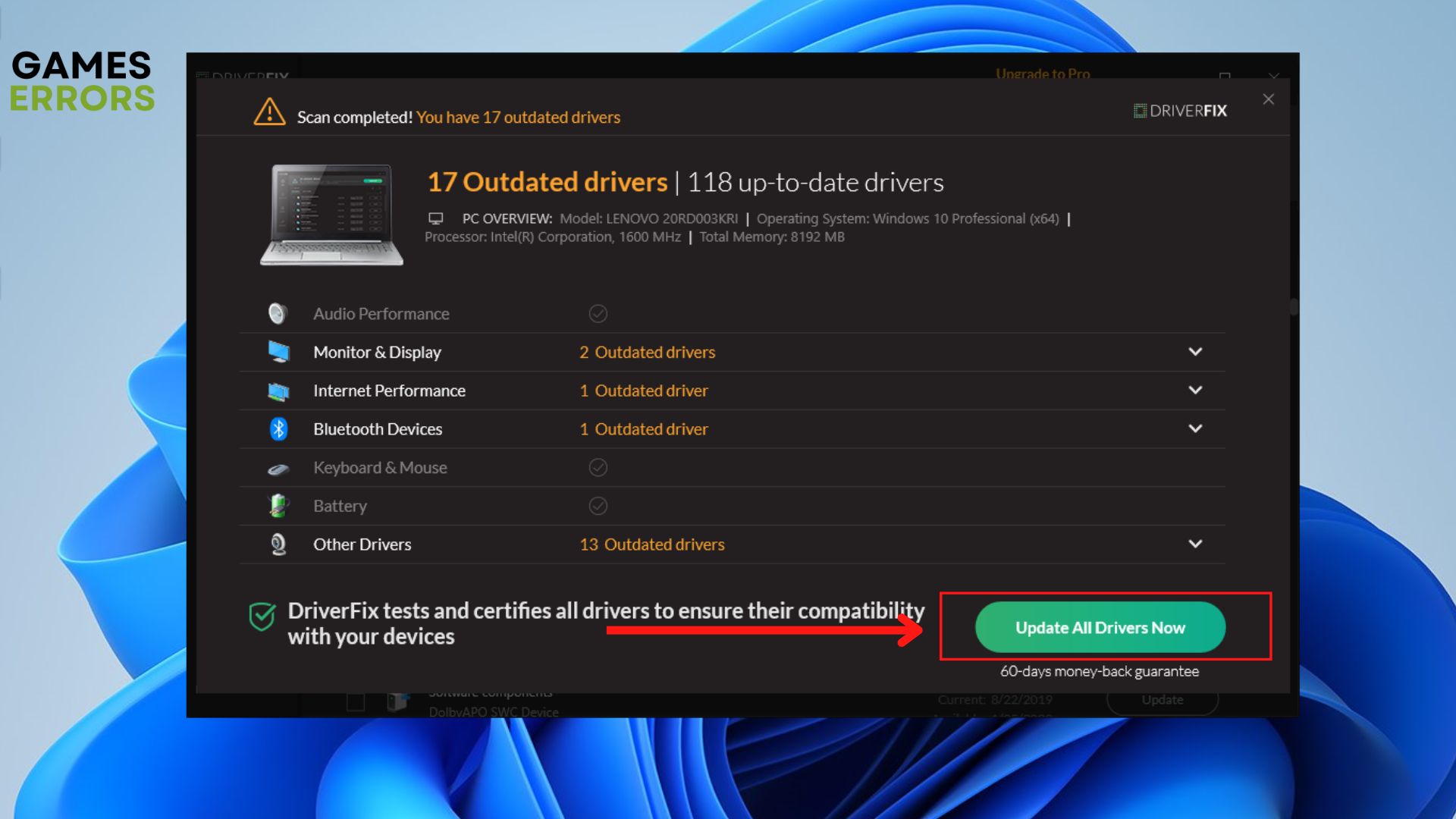
- Click Update All Drivers Now to get the latest driver version.
3. Disable overlay applications
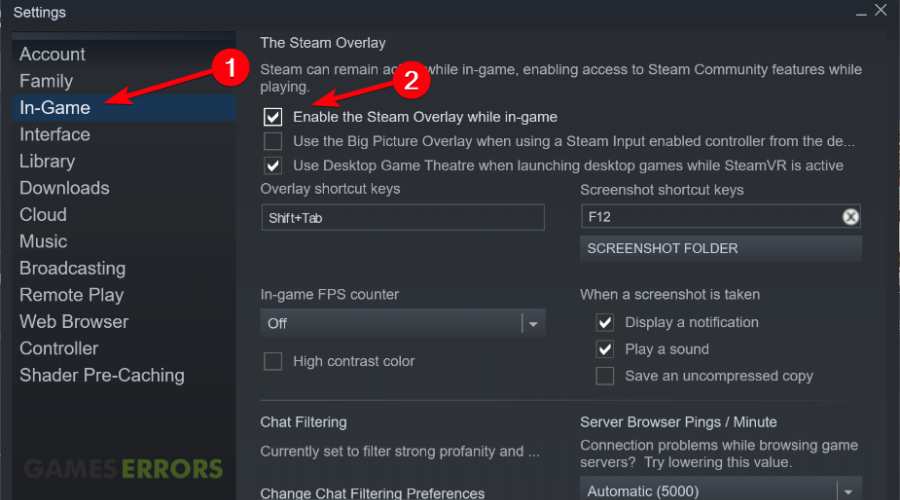
A potential factor that generates issues in Fallout 4 is the overlay programs that may interfere with your game. For instance, you can disable the Steam overlay following these steps:
If any of these methods didn’t work out for you, it’s also can be due to interfering programs that run in the background and cause game crashes on Fallout 4 Far Harbor.
🎮 Fallout 4 Far Harbor is not starting
This is the most encountered error in Far Harbor, apparently, after installing the DLC, the game won’t start for some players. They click Play in Steam, and nothing happens.
The workarounds that can resolve this issue can also be to update your graphics driver as demonstrated above in the guide or change the launch options in your Steam launcher.
🎮Fallout 4 Far Harbor FPS issues
After installing the DLC, players complained about horrible FPS issues. Due to this issue, they are unable to play the game.
Related article: How To Fix Fallout 4 Crashes, Errors, Performance Issues
We hope that our guide helped you fix your Fallout 4 Far Harbor crash and make the game playable on your device.
If you encounter any other issues in the game or if you don’t know how to apply the steps, comment below or use our contact page and we will help you fix your game.



Improve this guide

User forum
16 messages