
Assassin's Creed Unity Keeps Crashing on PC: How to Fix
In order to solve crashing errors Assassin's Creed Unity, watch out your GPU Drivers 👀


 5 min. read
  Updated on
Assassin’s Creed Unity is reported by many players to encounter a lot of crashes. The most reported are crashes on startup, on the loading screen, during gameplay, and in the first mission.
Assassin’s Creed Unity random crash and crashes every 15 minutes are also reported issues that are making the game unplayable.
💥Assassin’s Creed Unity crashes on startup: may be caused by outdated drivers, problems with the game’s configuration files, or with the game’s installation itself.
💥Assassin’s Creed Unity crashes on the loading screen: this issue might be caused by problems with the game’s graphics settings, outdated drivers, or with the game’s compatibility with your PC’s hardware.
💥Assassin’s Creed Unity crashes during gameplay: can be caused by problems with the game’s saved data, or with the game’s memory usage.
💥 Assassin’s Creed Unity crashes first mission: might be caused by problems with the game’s settings, or with the game’s compatibility with your PC’s hardware.
Why does Assassin’s Creed Unity keep crashing?
Assassin’s Creed Unity keeps crashing due to outdated or incompatible graphics card drivers or corrupted or missing game files. Other possible reasons might include:
- High graphics settings: The game can crash because the graphical settings are too high for your computer’s hardware to support.
- OS issues: The game may crash if your operating system is outdated or has other problems.
- Anti-virus software: Certain anti-virus programs can interfere with the game’s data and lead to problems.
- Conflicting software: The game can crash because of a conflict with another program or software application that is currently operating on your computer.
- Hardware Issues: The issue may be caused by hardware, such as a memory or power shortage of supply.
First, you need to make sure that you meet the minimum system requirements before applying any of our solutions or workarounds to your game.
Minimum System Requirements:
- OS: Windows 7 SP1, Windows 8/8.1 (64-bit versions only)
- Processor: Intel Core i5-2500K @ 3.3 GHz or AMD FX-8350 @ 4.0 GHz or AMD Phenom II x4 940 @ 3.0 GHz
- Memory: 6GB
- Graphics: NVIDIA GeForce GTX 680 with 2GB VRAM
- DirectX: 11
- Hard Drive Space: 50GB
Recommended System Requirements:
- Processor: Intel Core i7-3770 @ 3.4 GHz or AMD FX-8350 @ 4.0 GHz or better
- Memory: 8GB or more
- Graphics: NVIDIA GeForce GTX 780 with 3GB VRAM
How do I fix Assassin’s Creed Unity crash?
- Update your Graphics Drivers
- Verify the integrity of games files
- Run the game with administrator rights
- End the background applications
- Reinstall your game
1. Update your Graphics Drivers
You can update your GPU drivers in many ways. A manual method that you can apply on a Windows PC is to update your drivers using Device Manager:
- Press on the Windows key button to open the Start menu.
- In the search bar type Device Manager and click on it.
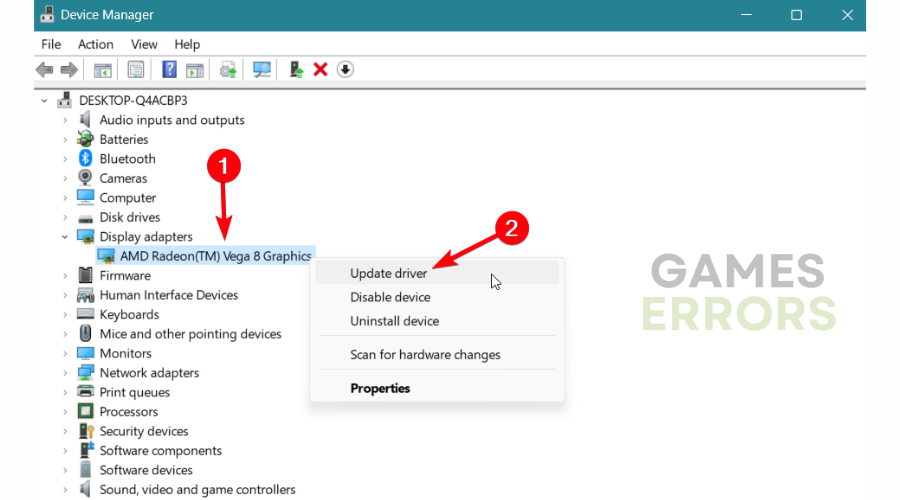
- Go to Display Drivers and right-click on your GPU Driver.
- Select Update Driver.
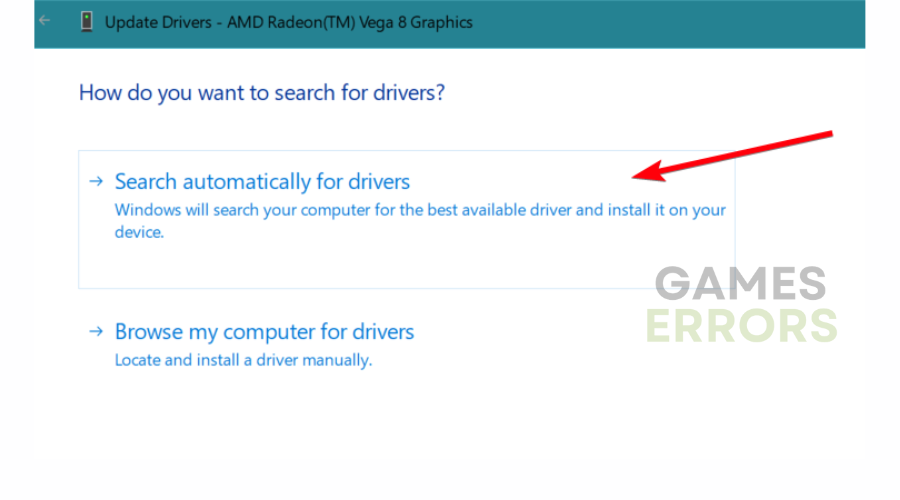
- Select Search automatically for drivers.
- Restart your PC.
Your computer’s graphics drivers will perform and function less effectively if they are out-of-date.
To avoid updating the wrong driver or any malfunction of your PC, you can use an automatic tool that will find, download, and install the right driver version on your Windows PC in just a couple of clicks. We strongly recommend PC HelpSoft. Here’s how to do it:
1. Download and install PC HelpSoft.
2. Launch the application.
3. Wait for PC HelpSoft to detect all your faulty drivers.
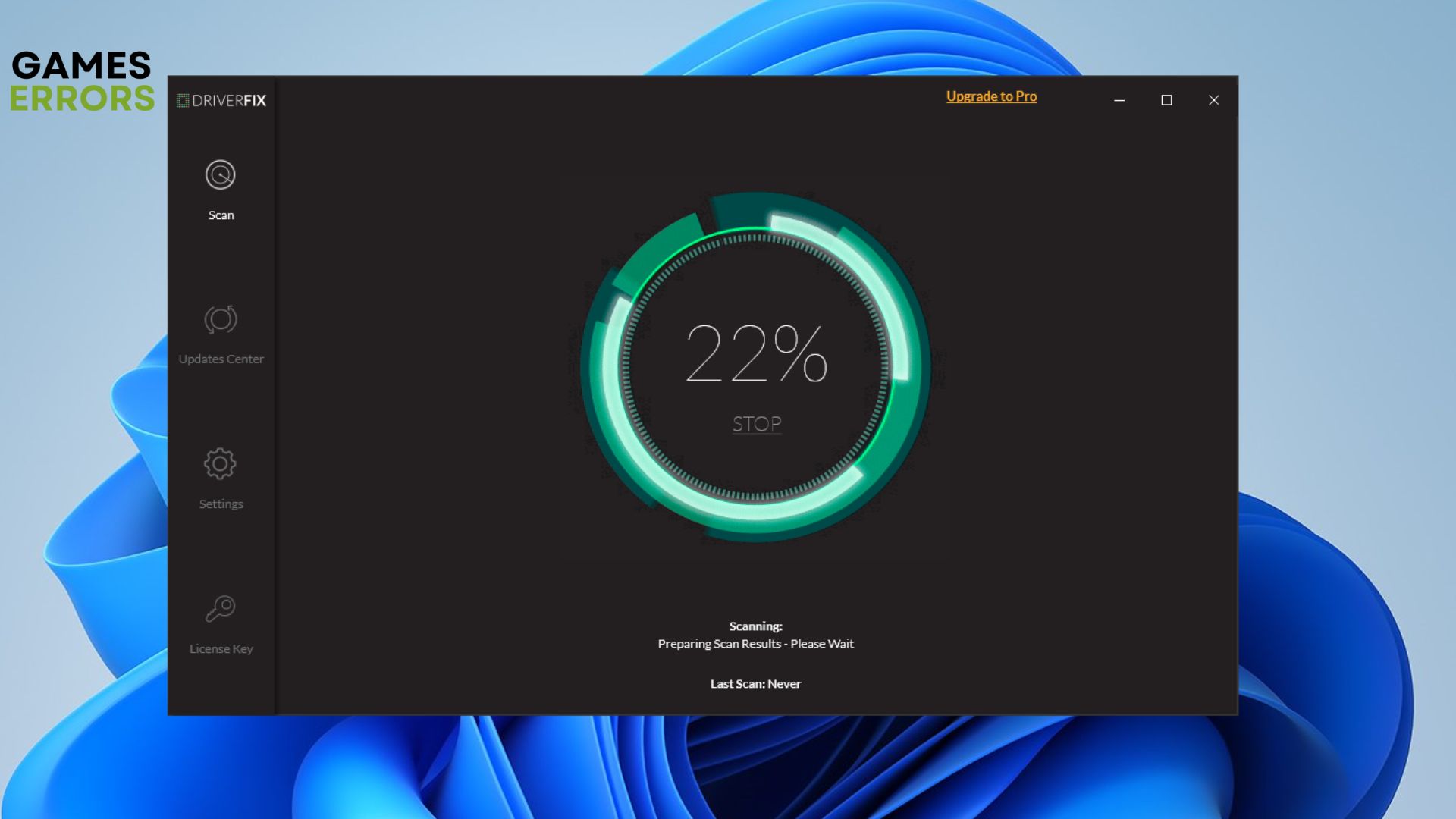
4. The software will now show you all the drivers that have issues, and you just need to select the ones you’d like or update all drivers at once.
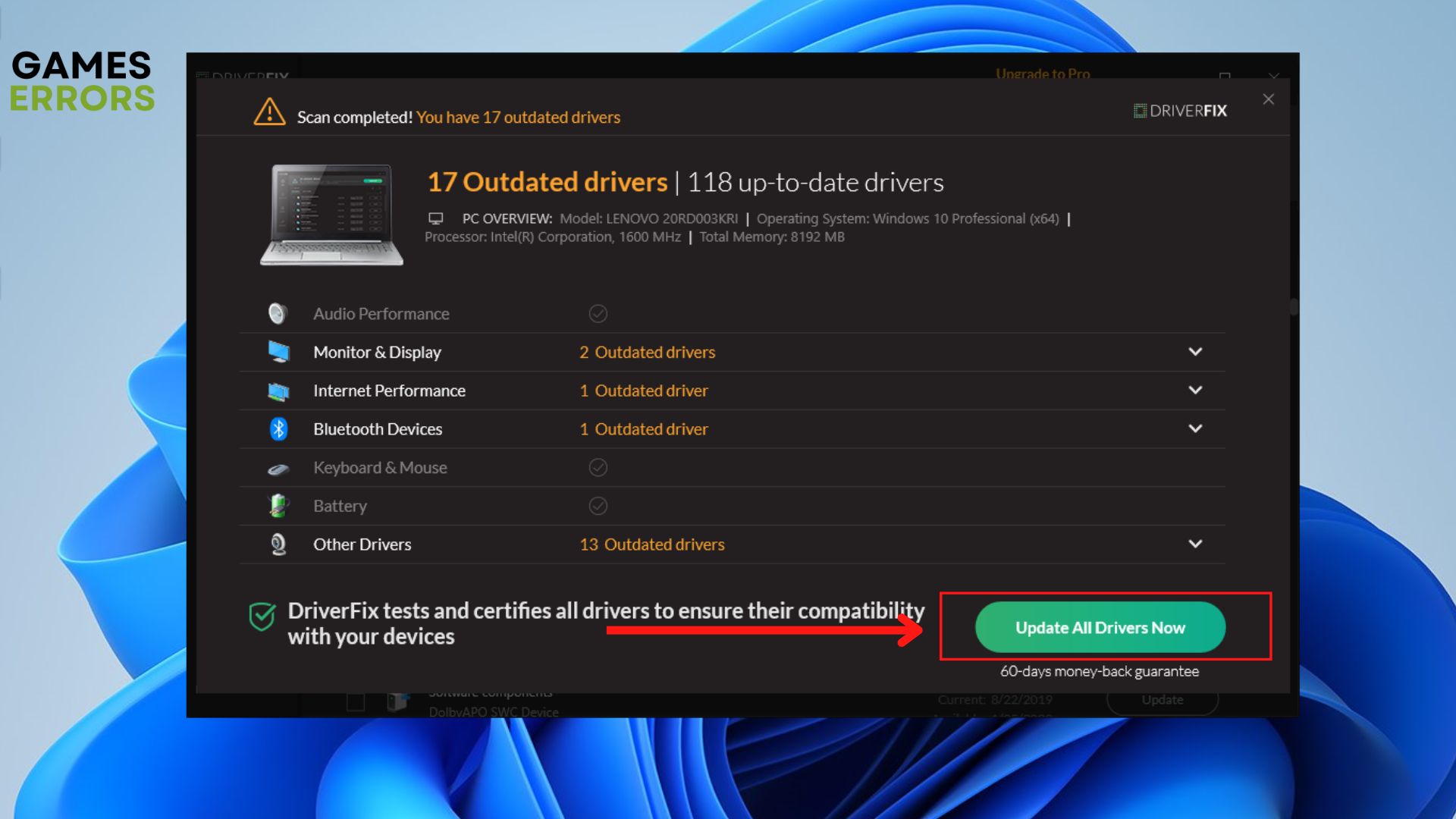
5. Wait for PC HelpSoft to download and install the newest drivers.
6. Restart your PC for the changes to take effect.
2. Verify the integrity of games files
- Open the Steam client on your desktop.
- Go to Library, and right-click on the game to select Properties.
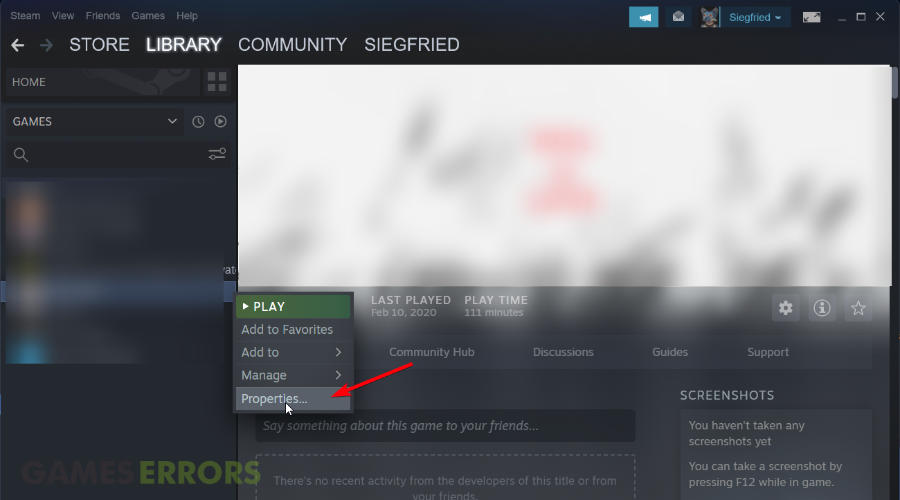
- Then switch on Local Files.
- Now, select Verify integrity of game files.
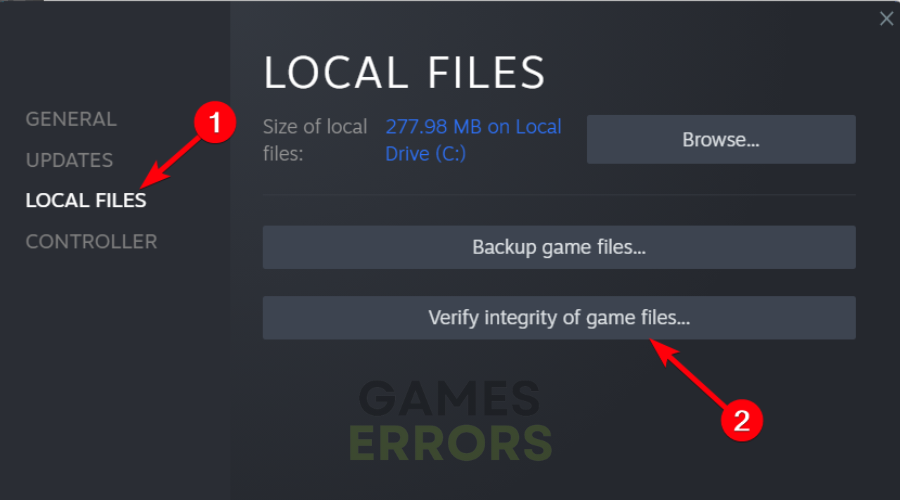
- Repair the found corrupted game files.
3. Run the game with administrator rights
- Open the Steam app and go to Library.
- Right-click on the game and select Properties.
- Navigate to Local Files and click on Browse.
- In the game folder, right-click on the game and hit Properties.
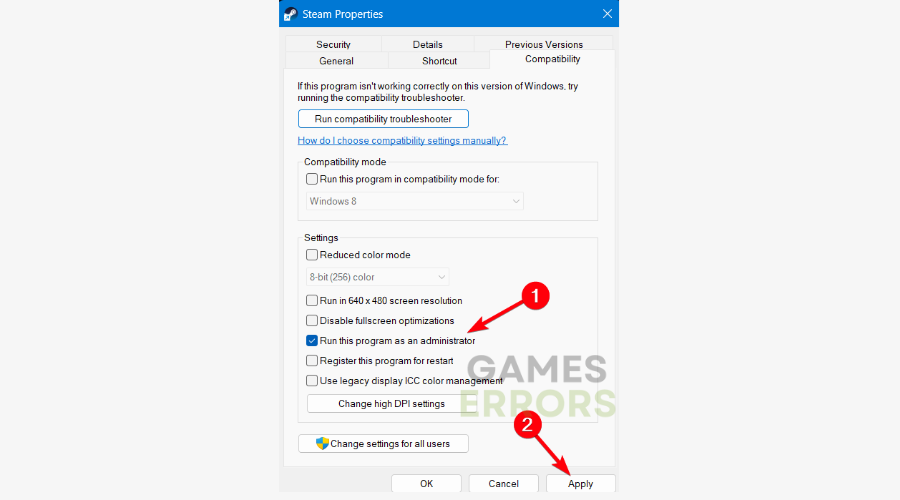
- Go to the Compatibility tab and select the Run this program as an administrator.
4. End the background applications
- In the Windows search box, type Task Manager.
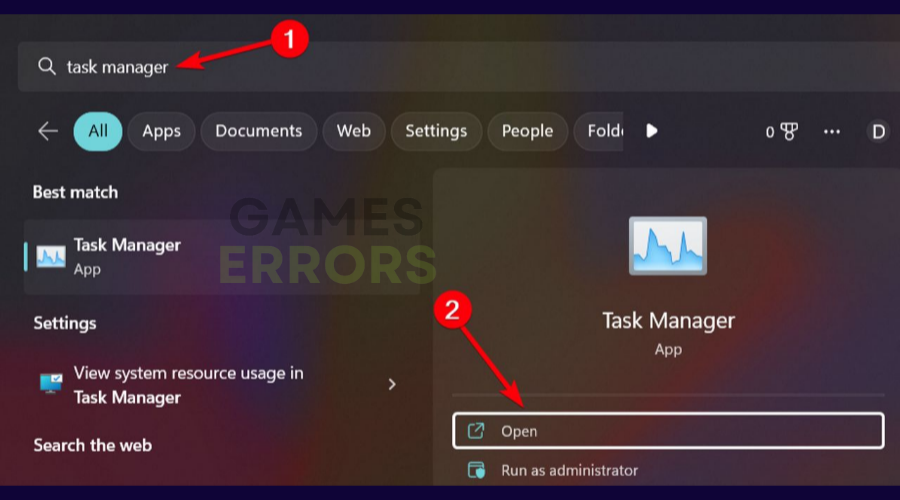
- Click on the Processes tab and right-click on a background app.
- Select End Task to eliminate it from the list.
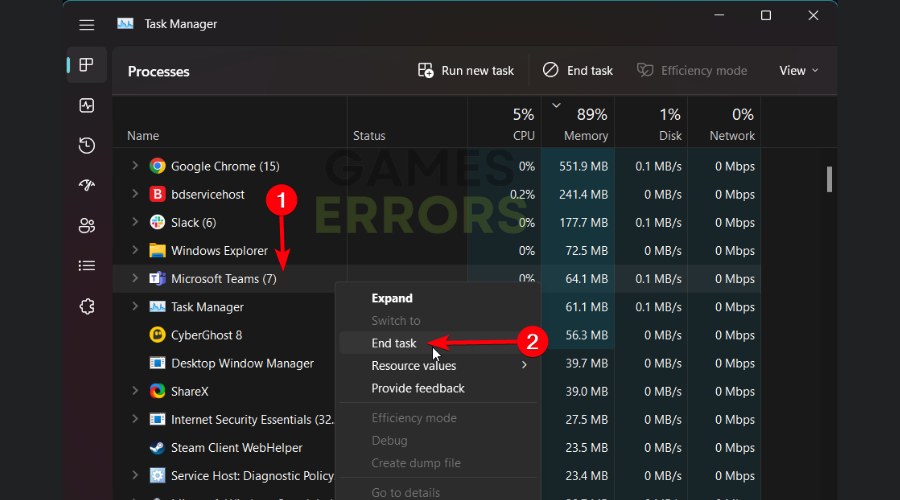
- Repeat the same process for all the resource-consuming apps.
5. Reinstall your game
Another viable solution to get rid of various crashes in Assassin’s Creed Unity is to fully uninstall the game from your PC. You can either uninstall it from Steam or go to Control Panel and find to game on Programs and Features to uninstall it and install it again.
✅ On Steam, you can just be going to Library > Right-click on the game > Hover to Manage and click on Uninstall.
On the same note, we also covered more aspects on how to Fix Assassin’s Creed Syndicate errors, crashes, FPS issues
We hope that our solutions helped you fix your Assassin’s Creed Unity crashing and that you can now play the game. If you have any questions or problems, please contact us with a comment below.



Improve this guide

User forum
57 messages